Flight diary
Humble Flights
Every flight you've taken, in one place
Bring in years of flights from your calendar, scan a boarding pass, or type a flight number. Then see your map, how far you've flown, the planes you've been on, and how often you landed on time. No account, no subscription.


Why it's different
A calm diary of where you've been
Flight apps tend to come with badges, live radar, an account and a yearly bill. Humble Flights keeps the log, the map and the good numbers, and leaves the rest. It's a diary of flights you've taken, so it doesn't track live flights or send alerts.
Your calendar, a boarding pass, a photo, a PDF, a Wallet pass, your airline’s trip page or a CSV from another app. You check each flight before it’s added.
Every flight shows when it arrived, right beside the route. Where the public data doesn’t reach, the app says so and asks you once.
Your map of routes and countries, distance and time in the air, on-time record by airline, records, and every plane you’ve flown.
Your log stays on your device and in your own iCloud. No account, no tracking, no analytics. Data Not Collected.
Export every flight as a CSV, free, always. Nothing you’ve typed is ever overwritten.
Free to log every flight, with stats, the map and aircraft on your 10 most recent. Humble Flights Plus opens them all for $9.99, once. Family Sharing included.
Adding a flight
Bring in years of flights at once
You decide what goes in
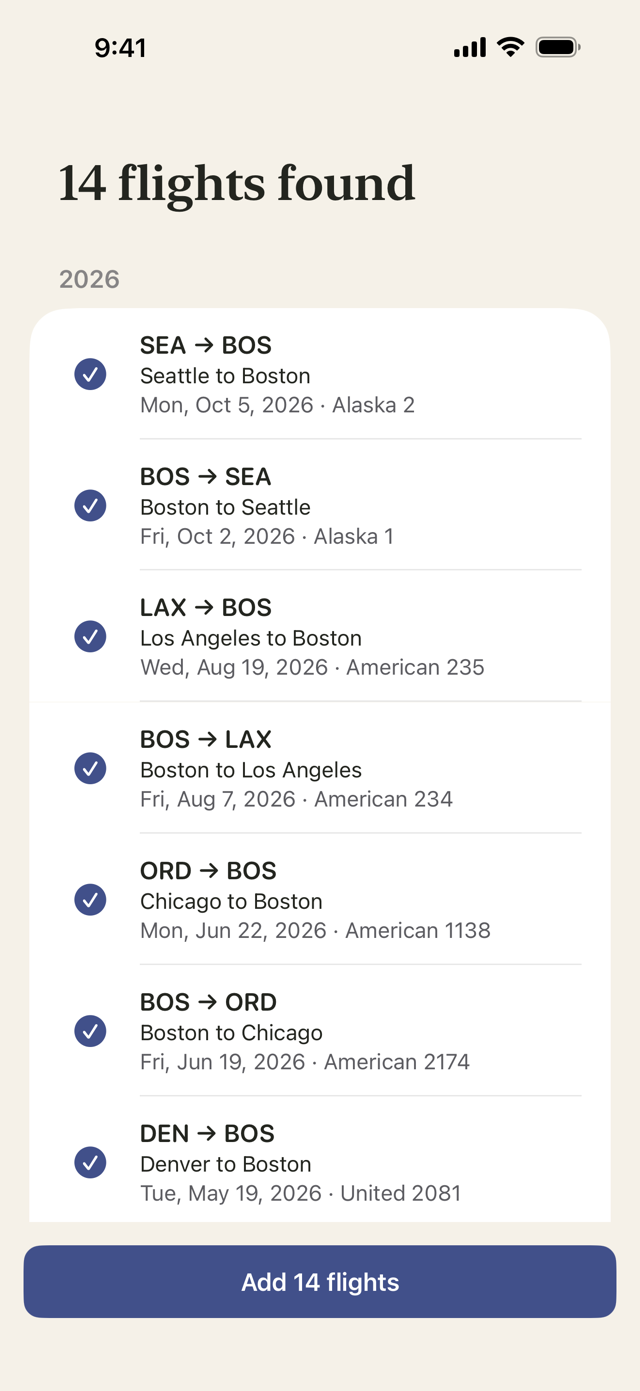
Your flights are already written down somewhere: in your calendar, your email, a pile of boarding passes. Humble Flights gathers them into one list, and you look it over before anything is saved.
From your calendar
Finds flights from years back, reading your calendar on your phone. Your calendar stays there, and you check each flight before it’s added.
Boarding passes
Scan the barcode, or use a photo, screenshot, PDF or Wallet pass. The name on the pass is never stored.
Booking screens and other apps
Take a picture of your airline’s trip page, or bring in a CSV from another flight app. Or type a flight number and the rest fills in where it can.
Did you land on time?
See how every flight went
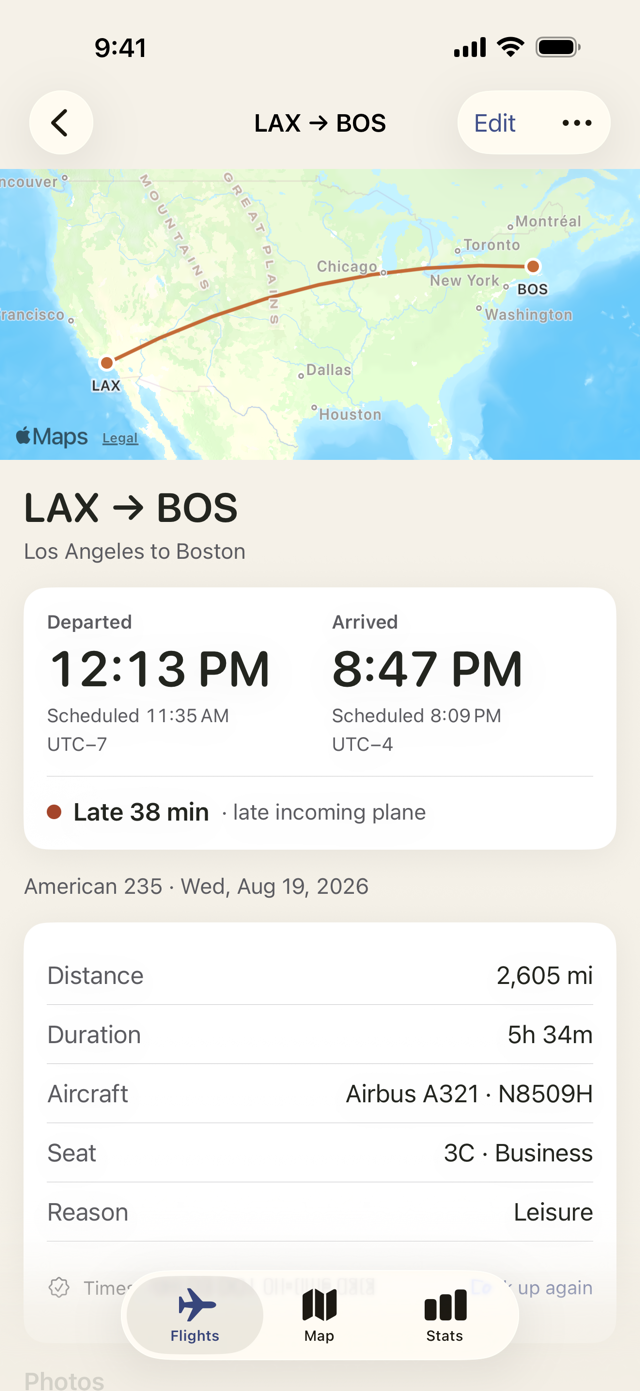
Where the data doesn’t reach, the app says so, asks you once, and you fill in what you know. Anything you’ve typed is never overwritten.
Arrival first
When you left and when you landed, in each airport’s local time, beside what was scheduled. Then the outcome in words: on time, early, or late by how much.
Why it was late
For US flights, the reported cause of a delay, such as a late incoming plane or the weather.
Free public data, plainly labelled
US Department of Transportation records for US flights since 2018, and open tracking data from adsb.lol for flights worldwide since 2023. Each flight says where its details came from.
Your map
See everywhere you've been
Every route
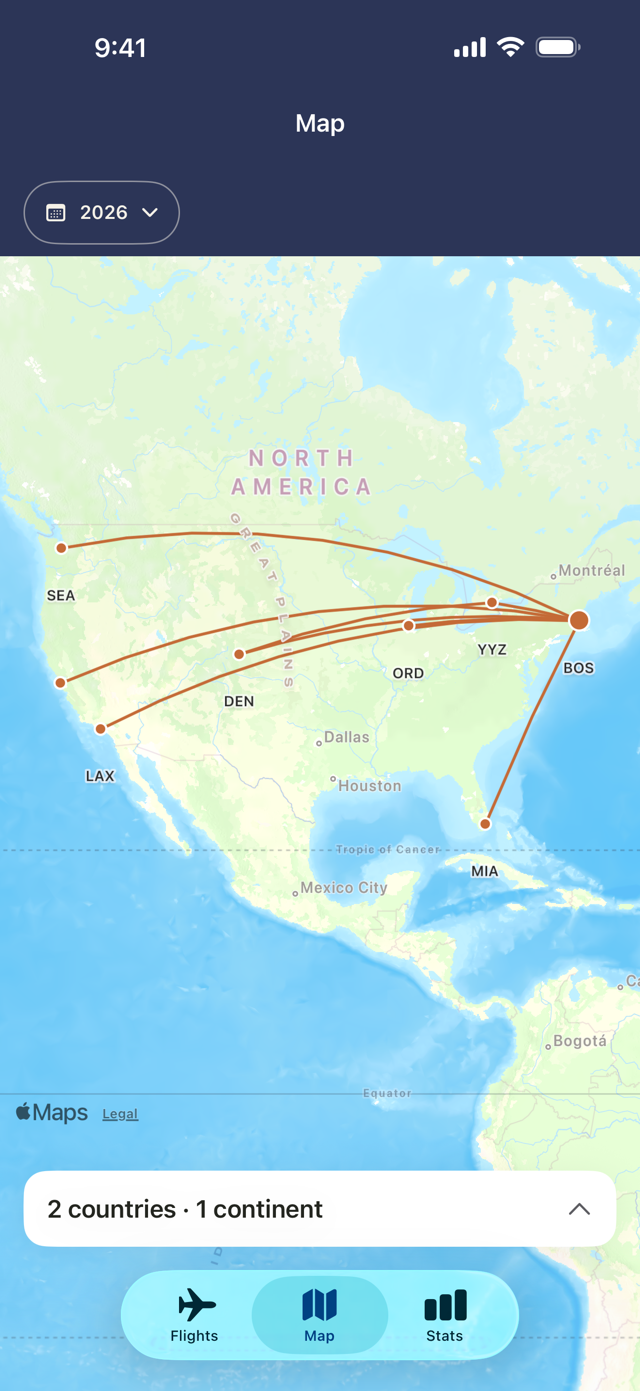
Each flight drawn as an arc, with airports sized by how often you’ve passed through them.
Your countries
Every country you’ve flown to, with your first visit and how many flights took you there.
All time, or one year
Look at everything at once, or pick a year and see just that one.
Your stats
Your travels, in numbers
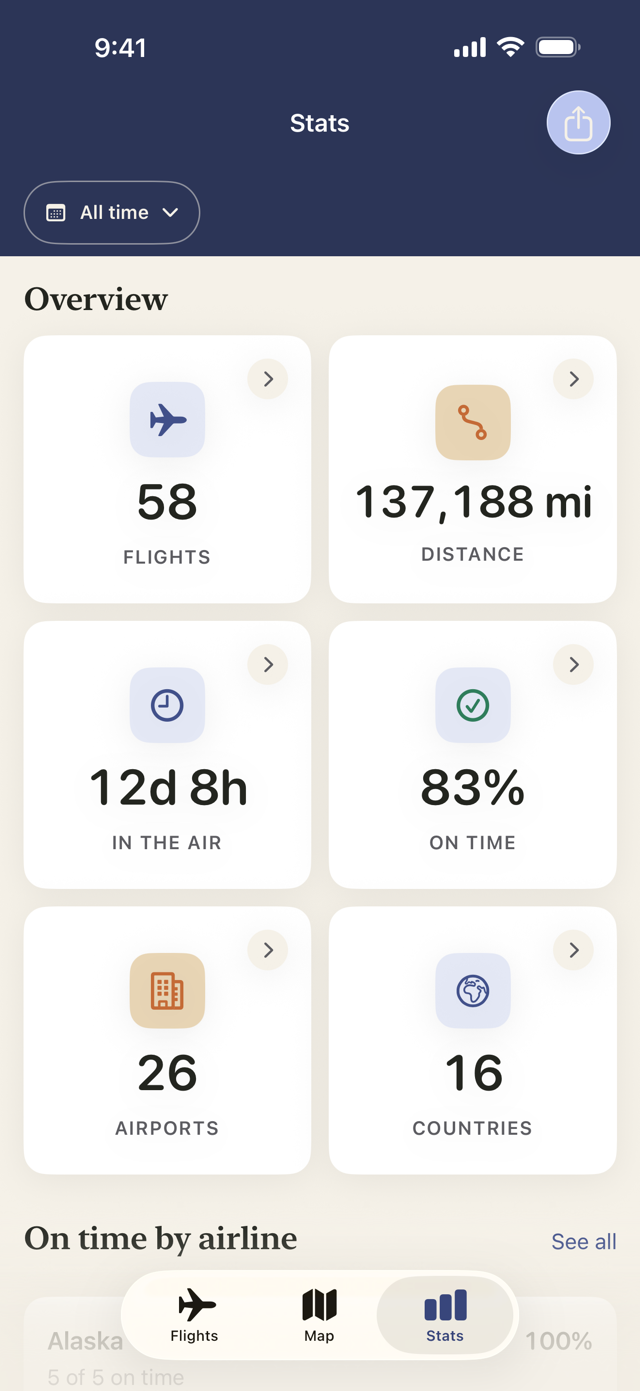
No badges, no rarity levels, no ranking against other people. Just your numbers, there when you’re curious.
The totals
Flights, distance, time in the air, airports and countries, for all time or for any year.
On time, by airline
Your own record with each airline, and always what it’s based on. Handy when you’re choosing who to fly next.
Records
Your longest flight, furthest north, busiest day and more. For fun, not for points.
A diary, not just a log
Every plane, every year
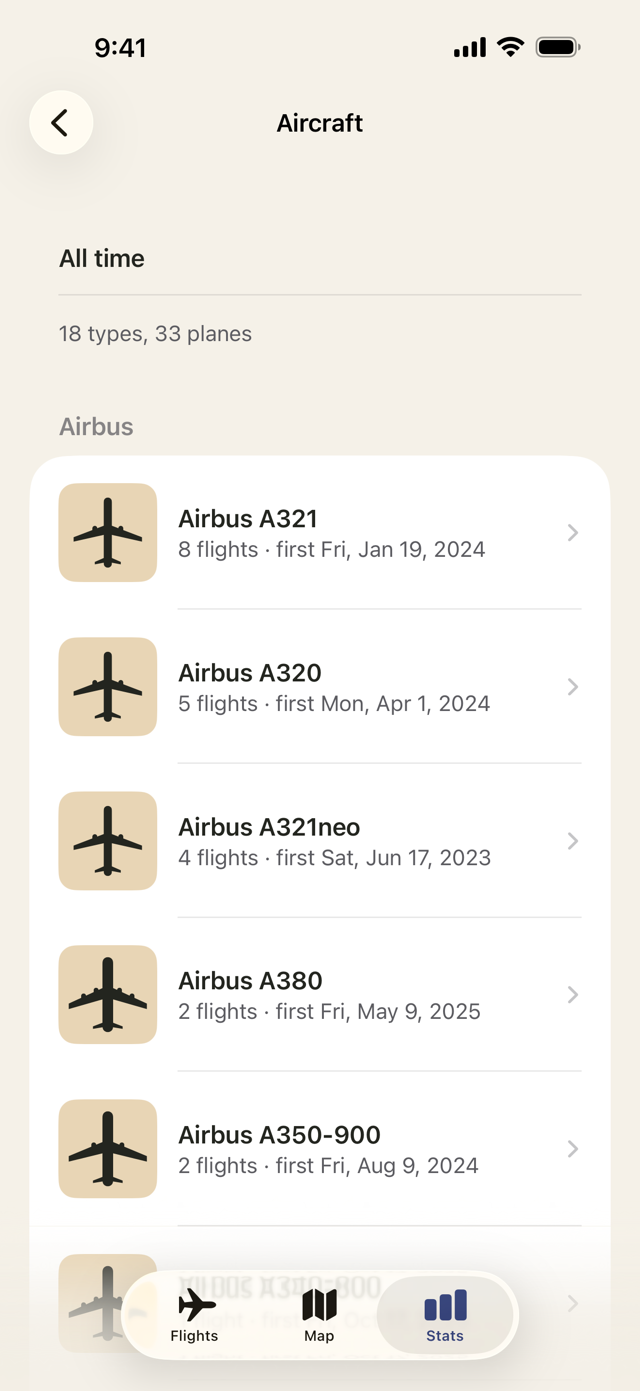
Your aircraft collection
Every type and every plane you’ve flown, with how many flights and when you first flew it.
Your year in review
A look back at your flying year, with cards ready to share if you like.
The details you want to keep
Add photos, your boarding pass, a seat, a note, the reason for the trip and what you paid.
Private by design
Nothing about you to collect
Flight details depend on public data, so some flights won’t have them, especially older ones and those outside the US. The app tells you when that happens.
No account
No sign-up, no login, no ads, no analytics. Open it and start with your flights.
Your device and your iCloud
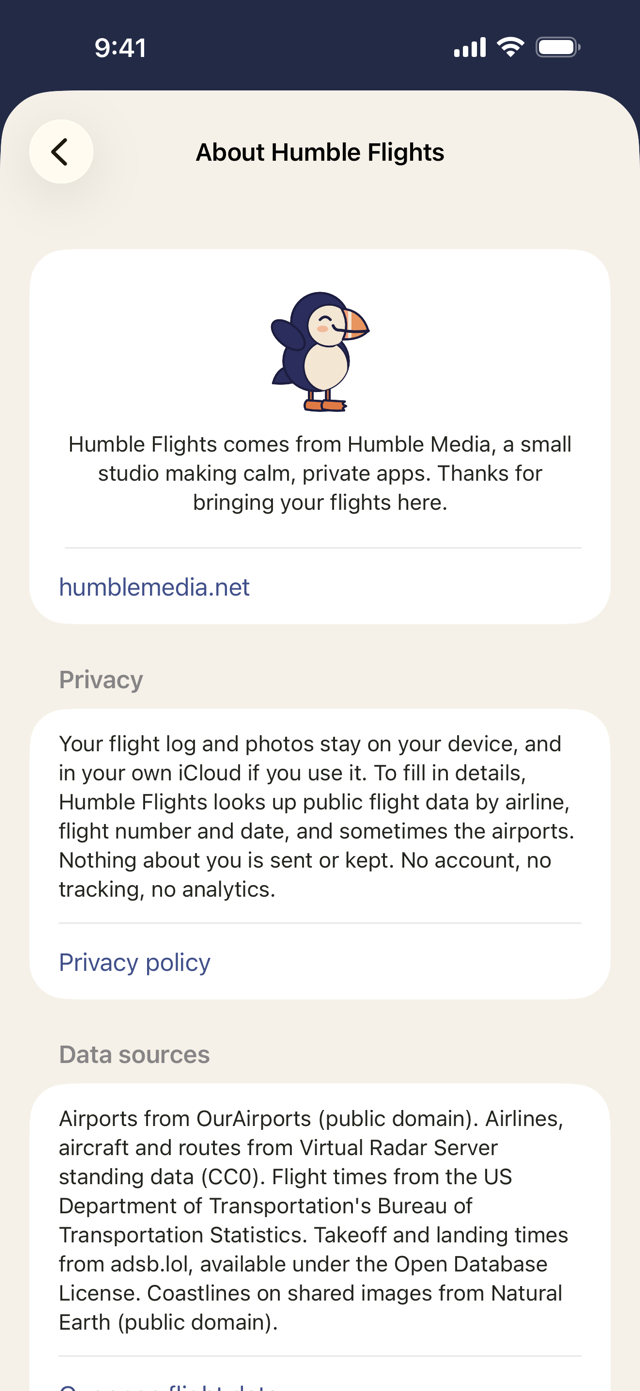
Your log and photos stay on your device, and in your own iCloud if you use it. We can’t see them, so we have nothing to sell and nothing to lose.
Data Not Collected
To fill in details, the app looks up public flight data by airline, flight number and date, and sometimes the airports. Nothing about you is sent or kept.
Every flight, one tidy diary. No account. No subscription.
Free to log every flight, with stats on your 10 most recent. Plus opens them all for $9.99, once. Family Sharing included.