Slides + voice = video
30hands
Turn any topic into a narrated video
Type a topic and 30hands builds an editable slide deck. Swipe through it, narrate in your own voice, and export a captioned video. No timeline to learn, and no AI avatar standing in for you.

Why it's different
From topic to finished video in one app
Built for people who explain things for a living: instructional designers turning decks into training, instructors recording lectures, and consultants and creators making explainers.
No switching between a slide tool, a recorder and a video editor.
Viewers hear the actual expert. You narrate it yourself, with no synthetic presenter.
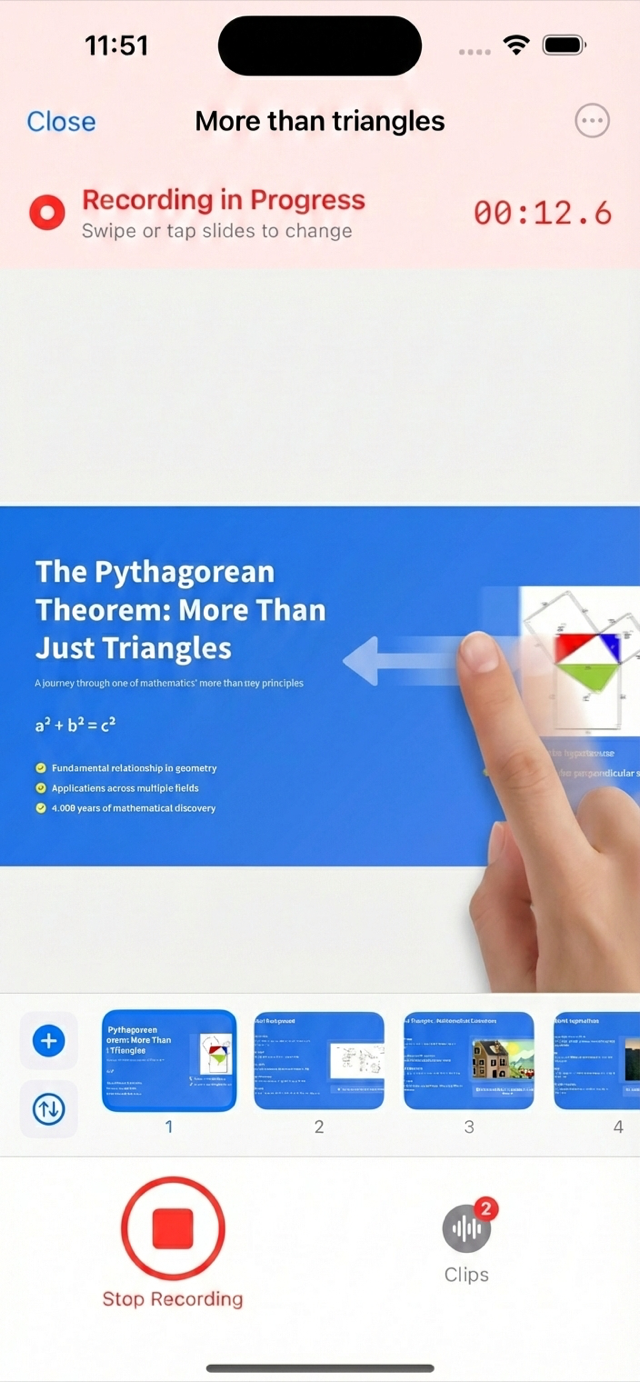
Narration is recorded slide by slide as you swipe, so there’s nothing to line up afterward.
A topic, a PDF, a Google Slides deck, photos, or a picture from your camera.
Add captions, pick portrait or landscape, then save the video or publish it with a link.
Free for 3 projects and videos up to 5 minutes, with a small watermark. Pro starts at $7.99 a month or $59.99 a year. Cancel anytime.
Start with a topic
Type a title, get an outline
Three tools become one
Making a narrated video usually means a slide tool, a recorder and an editor. 30hands does the whole trip: topic to editable deck to narrated video, in one pass.
Set it up in seconds
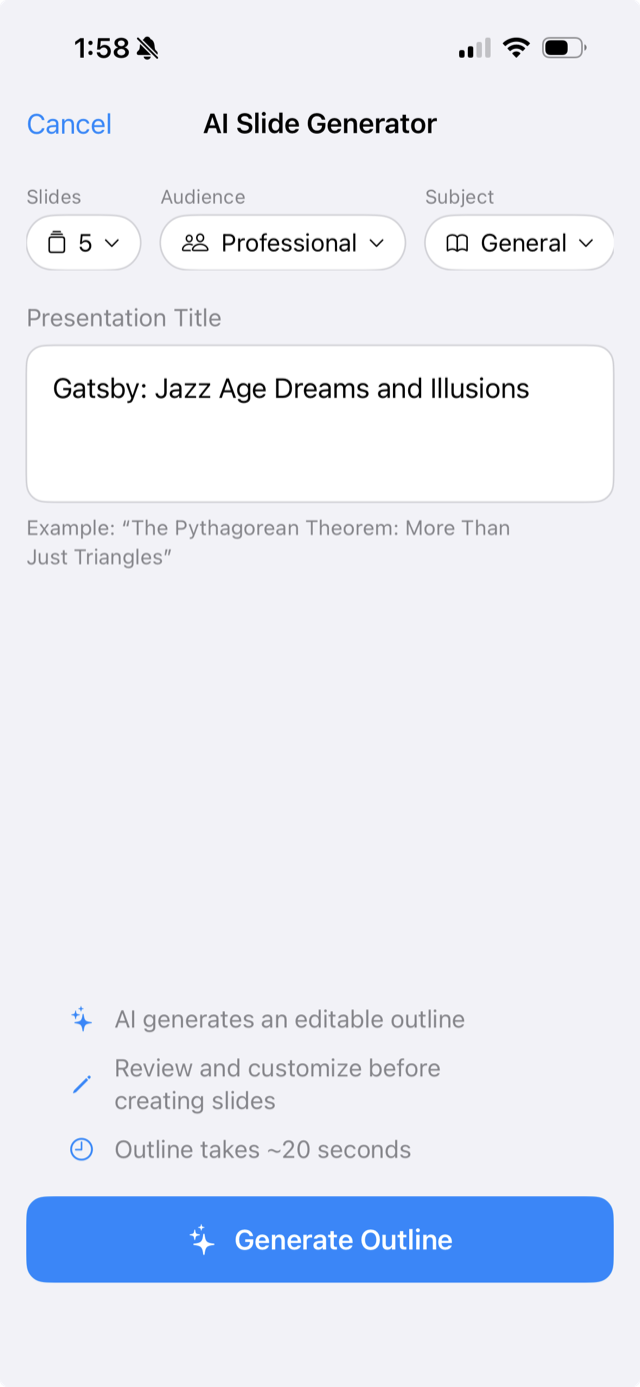
Choose how many slides, who the audience is and the subject, then generate.
An outline first
You see the structure of the deck before any slides are made.
Then the slides
When the outline looks right, 30hands builds the deck from it.
Stay in charge
Everything stays editable
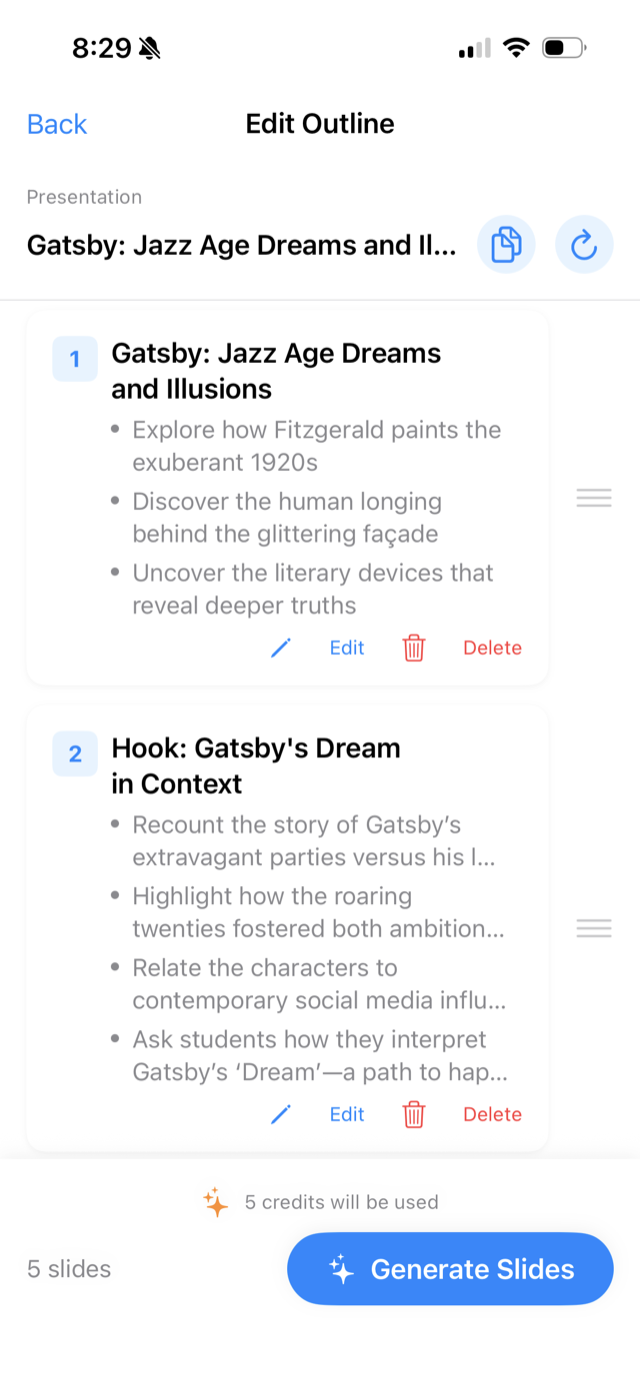
Change the outline
Rewrite, reorder or delete any point before a single slide is generated.
Tweak any slide
Edit, duplicate, reorder, add or delete slides whenever you like.
Or bring your own
Already have slides?
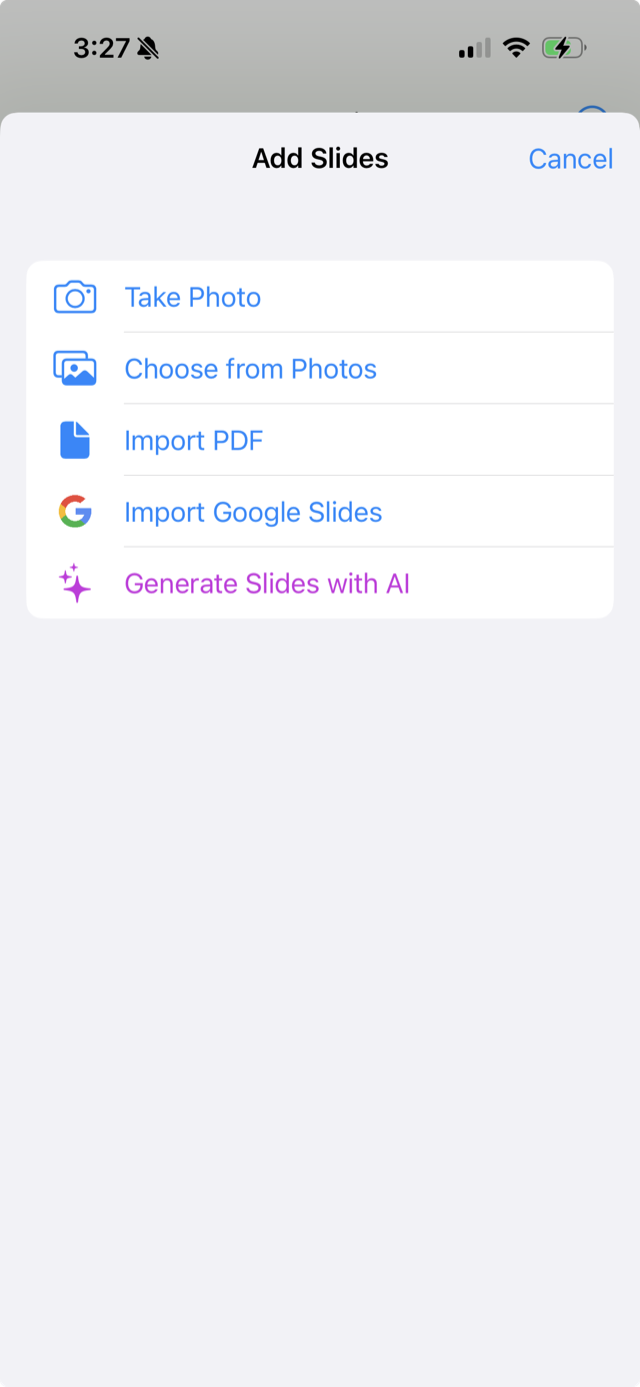
PDFs and Google Slides
Import the deck you already made and go straight to narrating it.
Photos and your camera
Use pictures from your library, or take one of a whiteboard or a page.
Narrate
Swipe through and talk
Slide by slide
Press record and swipe or tap to change slides as you go. That’s the whole method.
Add your face if you like
Turn the camera on to appear alongside your slides, or just use your voice.
Share
A finished video, ready to send
30hands started in 2012 as an app for teachers and students, and was rebuilt in 2026 for iPhone, iPad and the web.
Save or publish
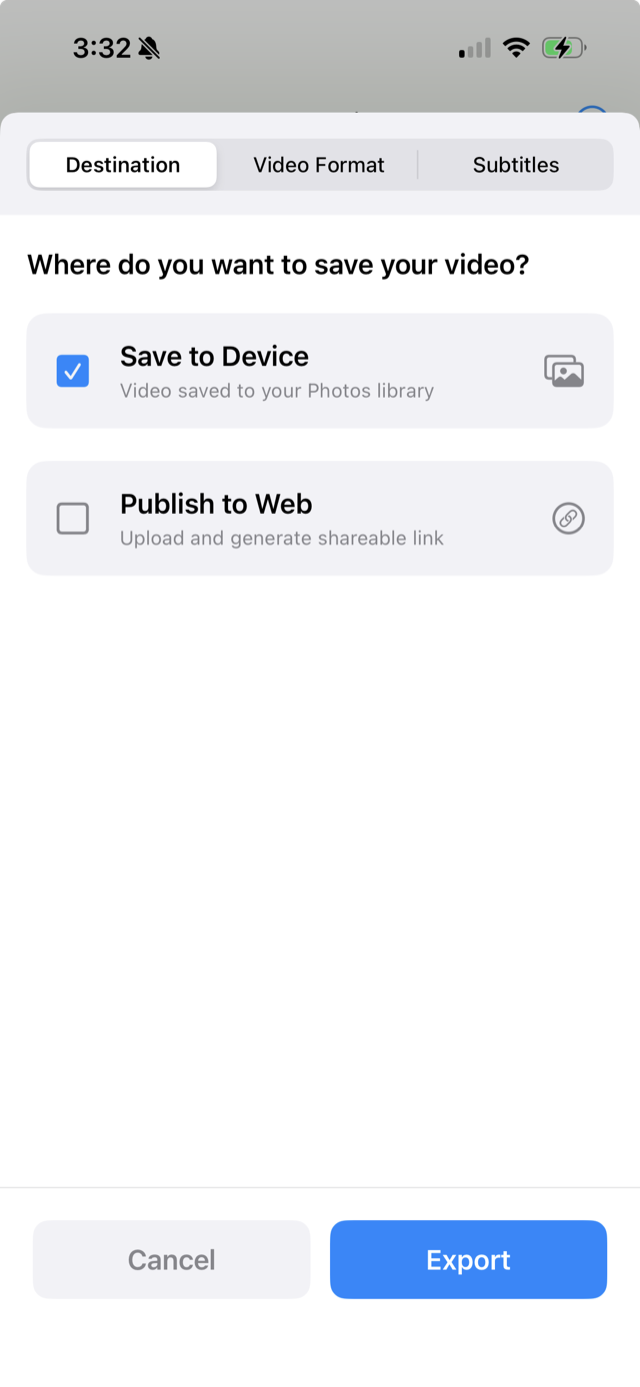
Save the video to your device, or publish it to the web with a link to share.
Captions and format
Add captions and choose portrait or landscape to suit where it’s going.
Bring your team
One subscription covers everyone you invite, so a whole team can work from it.
Turn any topic into a narrated video.
Free to start, no card needed. Pro from $7.99 a month or $59.99 a year.